iUNFI iOS Support & Resources
Access self‑service resources any time or connect with our dedicated support team 24/7, 365 days a year.
What’s New with iUNFI
Explore the latest iUNFI app updates. Download release PDFs to see new features, enhancements, and improvements by version.

General & Setup Guides
Get started with iUNFI by learning how to log in, set up your device, connect to networks and accessories, and adjust app settings to fit your needs.
Explore general and setup guidesOrdering Guides
Learn how to create, customize, and submit orders, including adding items, setting delivery details, applying alerts, and managing order batches.
Explore ordering guidesOrder Review Guides
Review order details before and after submission, including totals, alerts, confirmations, and order history to ensure accuracy and visibility.
Explore order review guidesTask Guides
Complete key operational tasks such as managing claims, updating item information, handling alerts, and performing audits directly within iUNFI.
Explore tasks guides
Contact Support
The Professional Services help desk provides support for iUNFI Retail Technology users . Our team is available 24/7 and offers assistance in both English and Spanish.
For support, contact us using the information below:
Phone: 888-820-6288
Email: proservicestechhelp@unfi.com
The Next Generation of iUNFI Mobile Ordering is Here
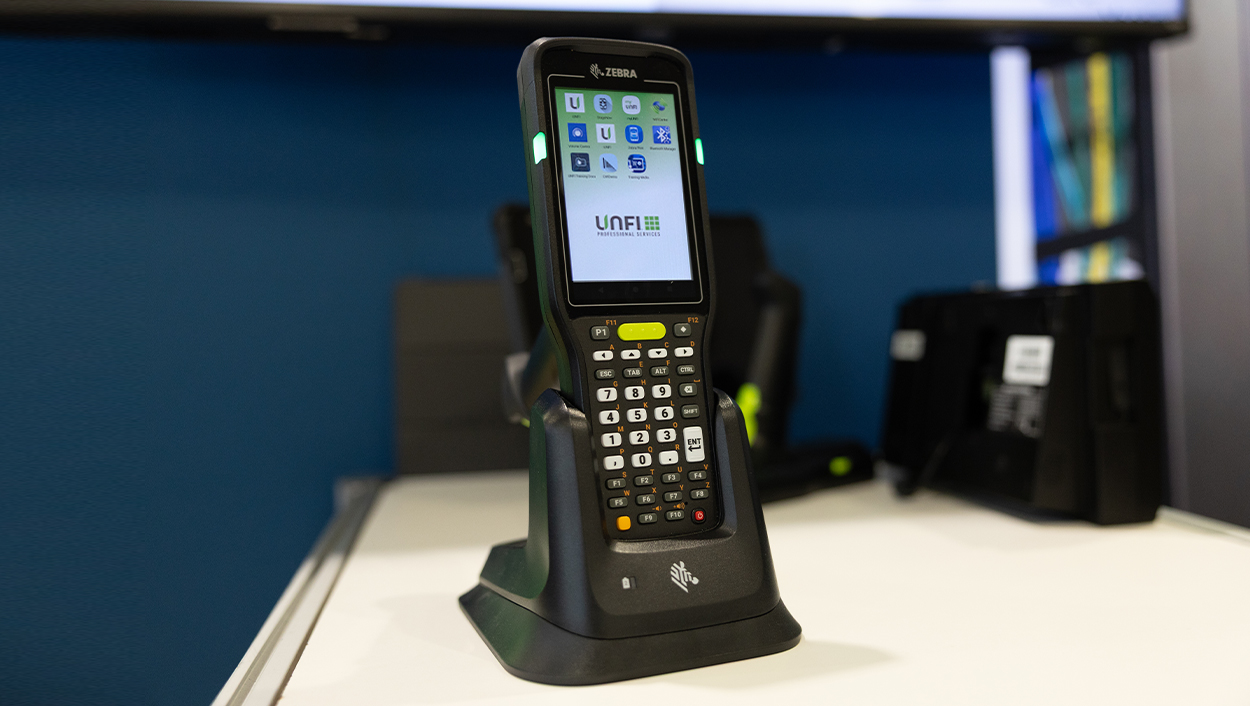
Our new Android-powered device makes ordering faster, simpler, and more intuitive. Built on the Zebra MC34 platform, it combines a familiar ordering experience with enhanced performance, durability, and scanning capabilities.
Need Help?
Access training materials and register for live training sessions.